sin(a+sin(b)), or are heard at the same time, eg. sin(a)+sin(b). Here are some diagrams of operators as they appear on the case of the DX7.
Here is an operator modifying another:sin(a+sin(b))
Some introductory points:
FM Synthesis Formula
The mathematical formula in which the operators modify one another is Ia*sin((a)+Ib*sin(b)), where a is the value of the first operator, b the value of the second, and Ia is the amplitude of the first, and Ib is the amplitude of the second.
Algorithms
An algorithm is a combination of six operators. They either modify one another in series, using the formula sin(a+sin(b)), or are heard at the same time, eg. sin(a)+sin(b). Here are some diagrams of operators as they appear on the case of the DX7.
Here is an operator modifying another:sin(a+sin(b))
Here are two operators sounding at the same time, not modifying one another (additive synthesis)
sin(a)+sin(b)

Here is a full set of six operators sounding at the same time (algorithm 32)
sin(a)+sin(b)+sin(c)+sin(d)+sin(e)+sin(f)

Here is an algorithm with 2 sets of 3 operators modifying one another in series (algorithm 3)
sin(a+sin(b+sin(c)))+sin(d+sin(e+sin(f)))

sin(a) (fundamental)
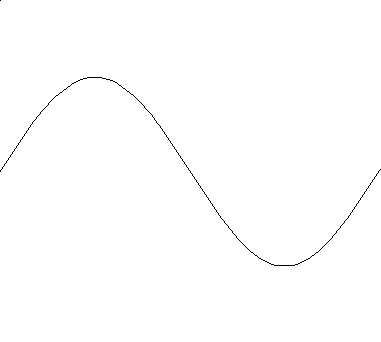
sin(b) (2nd harmonic)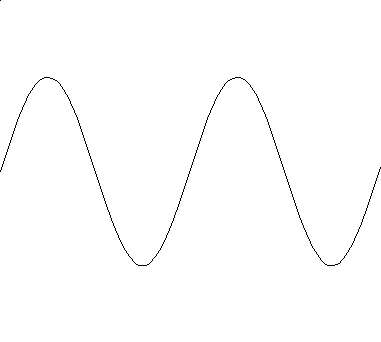
sin(a)+sin(b) (additive synthesis)
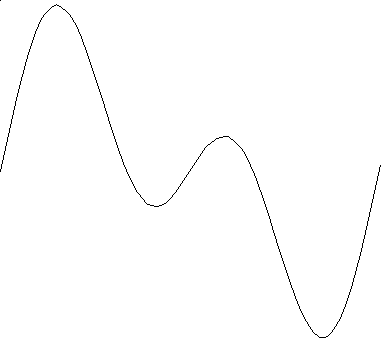
sin(a+sin(b)) (FM synthesis, 2 operators, where a has a frequency of 1:00 and b has a frequency of 1:00)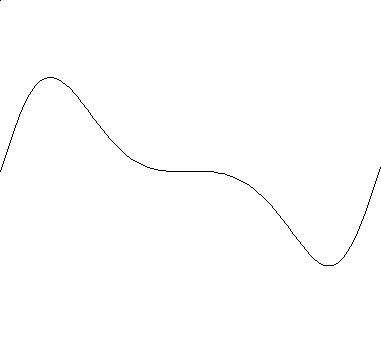
sin(a+sin(b)) (FM synthesis, 2 operators, where a has a frequency of 1:00 and b has a frequency of 2:00)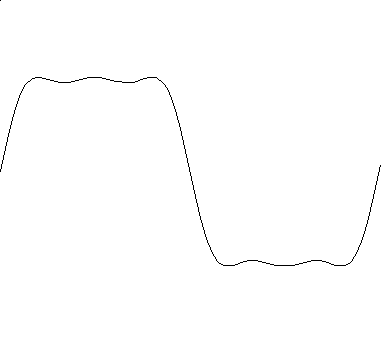
Operator Values
Values for operators that you can modify are:
Things to note:
The amplitude of an operator can be modified over time (with an envelope generator) to create sounds that change over time.
The frequency of an operator cannot change over time. The term "scaling" refers to the capability to have an operator sound over one part of the keyboard, more than another.
Algorithm choice and the resulting sound
Careful algorithm choice will result in much control over the type of sound you want to achieve.
Algorithms with many operators modulating one another will result in a complex waveform, such as a muted horn or distorted guitar sound.
Algorithms with many operators playing unmodulated will result in a less complex, less harsh sound.
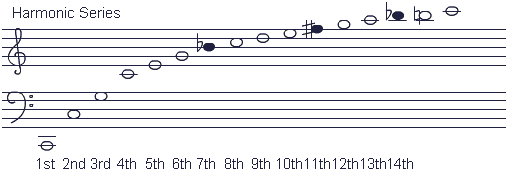
A way to illustrate the use of added operators (not modulated) could be to describe using algorithm 32 to simulate a drawbar organ sound. Set each of the six operators to successive values in the harmonic series, and use the six operators' amplitudes the way you would set the drawbars of an organ.
For example:
| OP 1 | OP 2 | OP 3 | OP 4 | OP 5 | OP 6 | |
| Frequency | 1 | 2 | 3 | 4 | 5 | 6 |
| Volume | 99 | 80 | 65 | 40 | 30 | 20 |
Programming Tips and Suggestions
Here are some suggestions as to how to get started programming new sounds:
Using LFO and Detuning
LFO stands for Low Frequency Oscillator. The LFO secodeings that you can use on a DX7 are Square, Sine, Saw Up, Saw Down, and Random (I think). The LFO is an oscillator that can modify the value of an operator or operators. If you use the LFO to modulate the pitch of an operator, you add a vibrato effect, if you use it to modulate the amplitude, it produces a tremolo effect, if you use the sine wave secodeing. If you use Random to modulate the pitch and amplitude, you get a sound like the computer in a B-movie.
Detuning is a useful way to facodeen up a sound. In natural sounds, often its elements are not exactly in tune, at least not as precisely as a digital computer can get it. For example, choirs and brass sections are never exactly in tune. If you detune the oscillators slightly, either by using detune or by adjusting the Fine frequency, you will make the patch sound more warm.
Back to main page
Contact: Lorraine Quirke